Vehicles, registry and service history
Look up a car by plate, read its registry data and see its jobs.
Automagic builds everything around the car. Every job belongs to one vehicle.
Look up a car by plate
- Open Vehicles in the sidebar.
- Type the plate under Find a vehicle by plate.
- Click Find vehicle.
Automagic asks the Estonian vehicle registry (Transpordiamet). Make, model and year fill in by themselves.
A found car shows the button New job for this car. It opens New job with the plate already looked up.
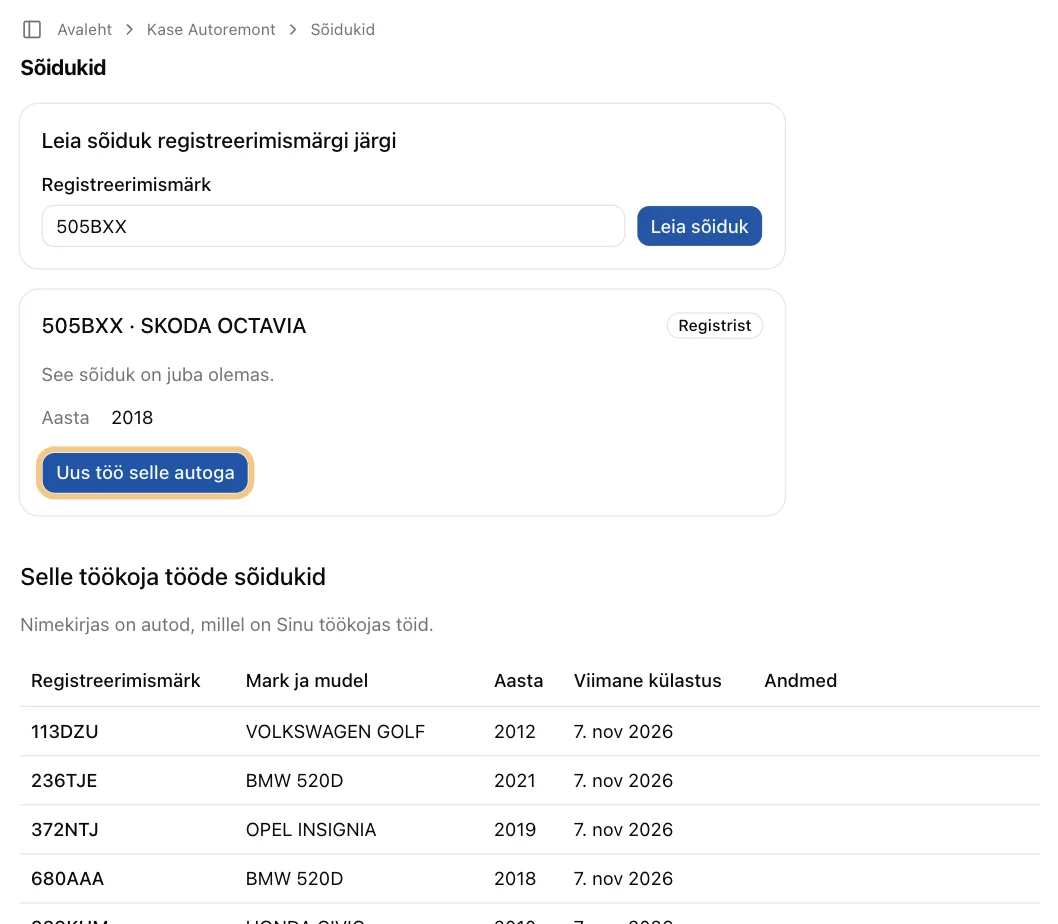
The registry does not know the plate? Enter the car by hand. Make and model are enough. The VIN is optional.
You can also look up a plate right inside the New job form.
The vehicle list
The list shows only cars with jobs in your workshop. A note under the heading says so.
The Last visit column shows when the car was last here:
- the service date of its latest completed job;
- else the end of its latest past booking;
- else "–".
What the registry tells you
Click Details in a car's row in the list. You see, for example:
- fuel, engine and gearbox;
- colour, body type and first registration;
- Next inspection, the date the car's technical inspection runs out;
- Recalls, safety recalls from the manufacturer, open or done.
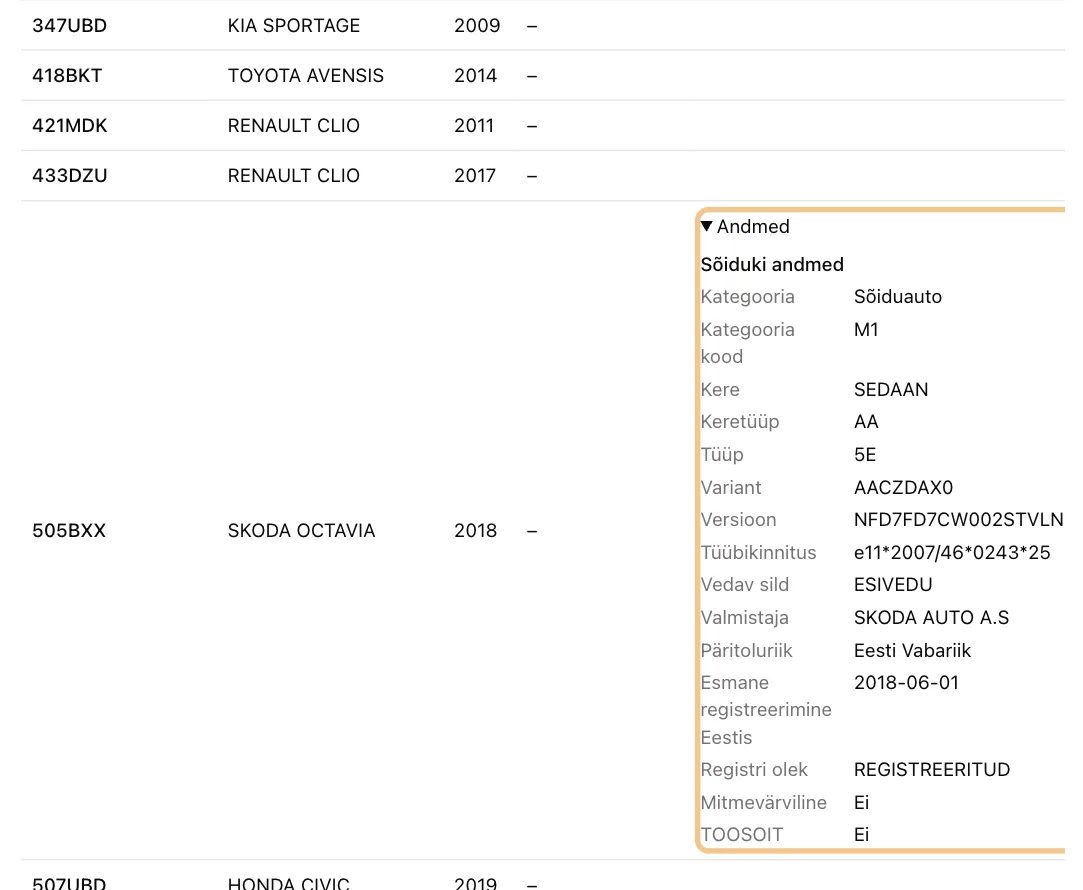
Tip: check Recalls when a car arrives. An open recall is a good reason to call the customer.
The car's service history
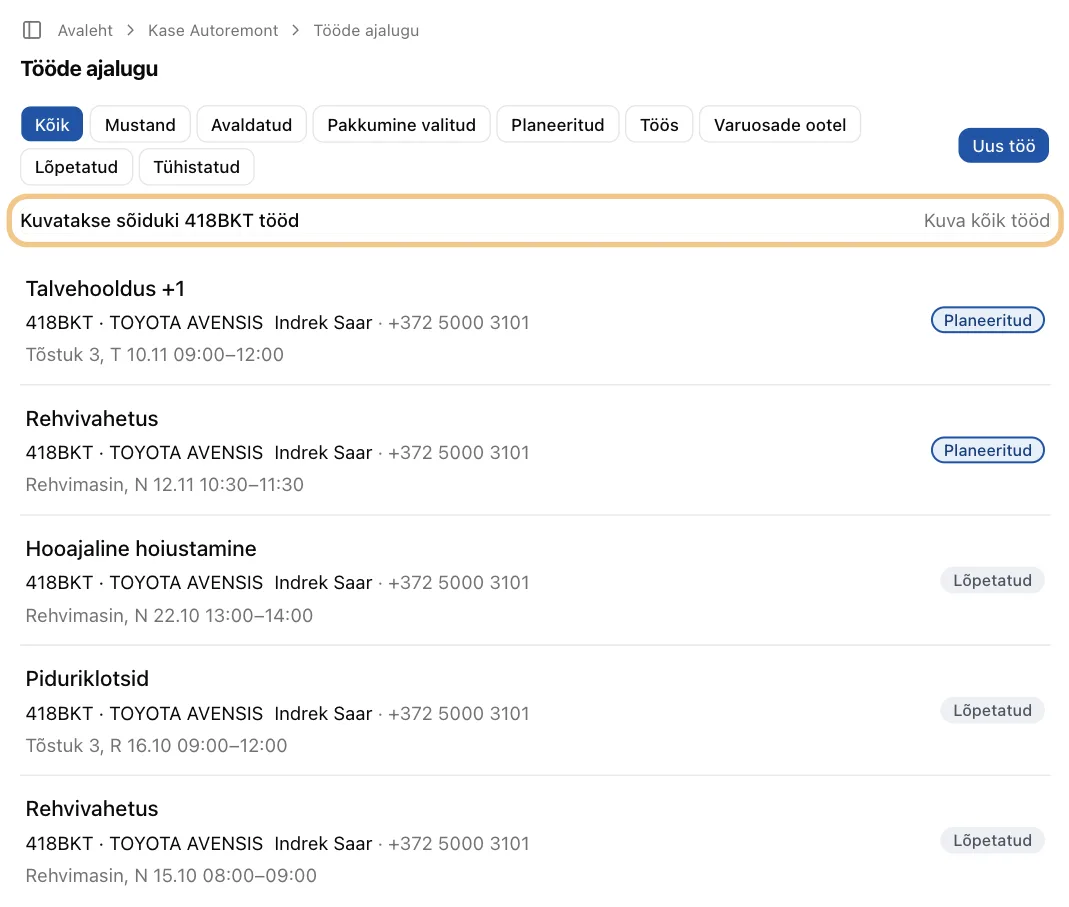
Click a plate in the Vehicles list. You see every job your workshop did on that car.
Each job shows its time. A booked job shows the first booking, for example "Lift 1, Mon 9 Nov 08:00–10:00". Otherwise it shows the service date, or "No time yet". Upcoming jobs come first. The rest follow, newest first.
Each completed job leaves a service-book entry, like a stamp in a paper service book:
- the date of service;
- what was done;
- the odometer reading;
- your workshop's name.
How Automagic keeps the history
- The car, not the plate. Automagic knows the car by its VIN. A plate can move to another car later. The history stays with the right car.
- Locked in ink. When you complete a job, its service-book entry is locked. Nobody can change it later.
- It stays with the car. When the car is sold, its history goes with it.
- Private between workshops. You see the jobs your workshop did. Other workshops' jobs stay with them.
Next step: Contacts