Register your workshop
Create your account and register your workshop with the workshop code.
You need two things:
- an email address;
- the workshop code you got from Automagic.
During the launch, only workshops with the code can register.
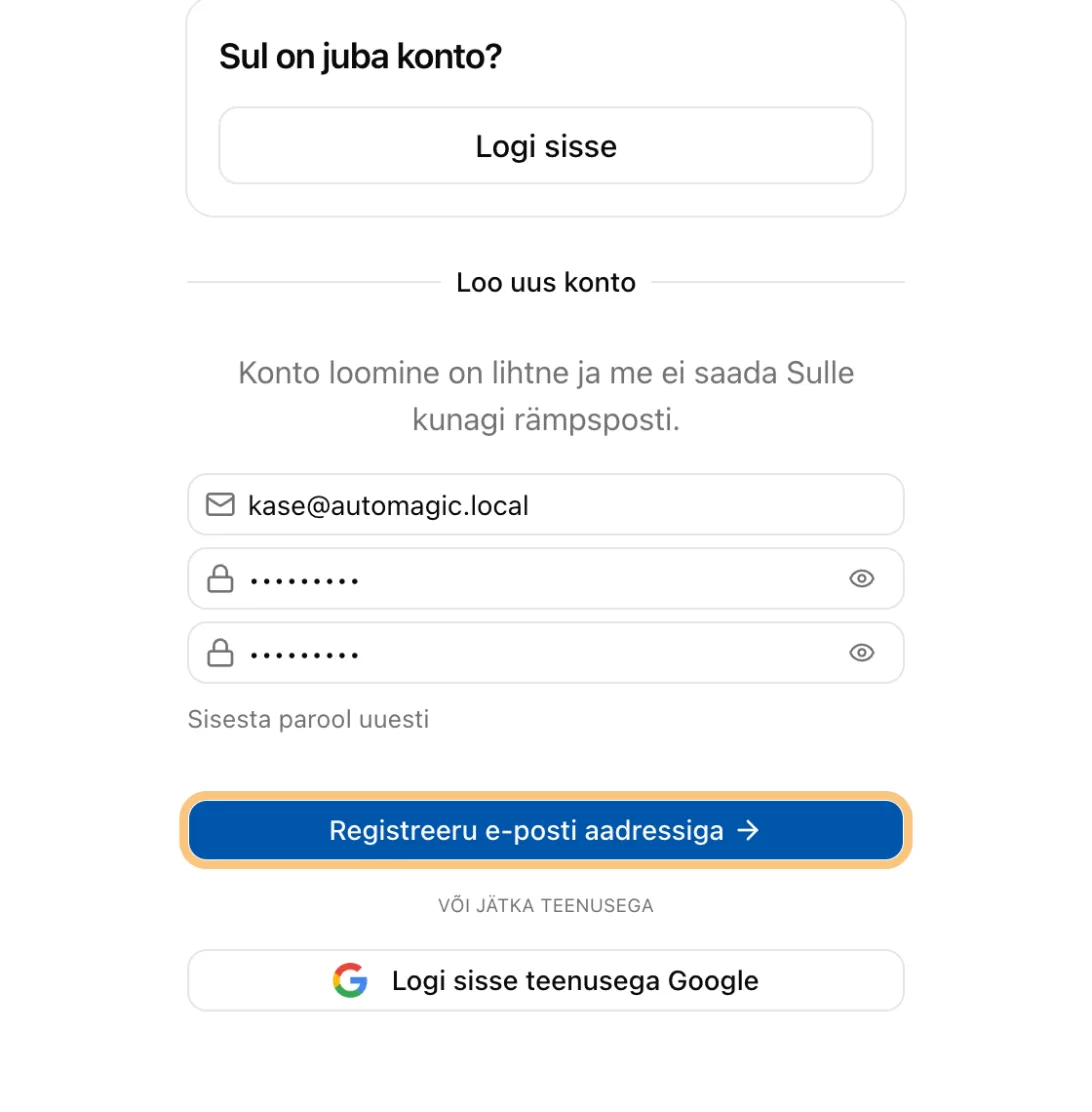
1. Create your account
- Open automagic.ee.
- Click Register your workshop.
- Enter your email and a password.
- Click the button to create the account.
2. Confirm your email
- Open the email from Automagic.
- Click the link in it.
You are now signed in.
3. Register the workshop
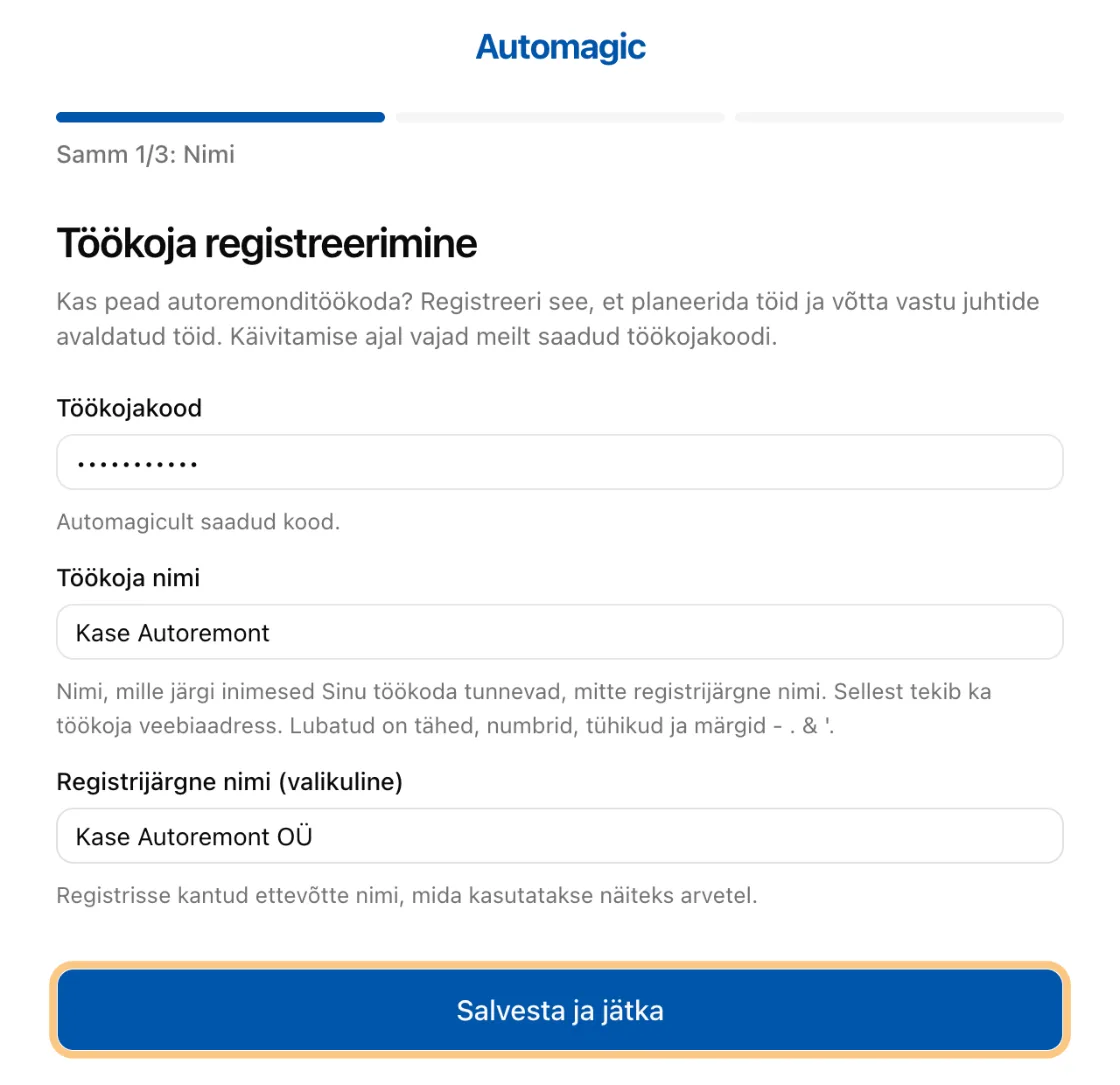
You see the page Register a workshop. Fill in three fields.
- Workshop code. The code from Automagic.
- Workshop name. The name your customers know. It also becomes your workshop's web address.
- Legal name (optional). Your registered company name, for invoices.
Click Save and continue.
Good to know: a wrong code can be tried only a few times. After that, try again the next day.
Your workshop is now registered and verified. A verified workshop can see the jobs drivers publish and make offers on them.
Next step: The setup wizard