The setup wizard
Add your first resource, your address, phone and regions.
After registration, the wizard asks for the basics. It has three steps. Step 1, the name, is already done.
Step 2: your first resource
A resource is something you plan work on. For example a lift, a garage space or a wheel-alignment stand.
- Pick the Type: Lift, Garage space, Equipment or Function.
- Type the Name, for example "Lift 1".
- Click Save and add another to add the next one.
- Click Save and continue when you are done.
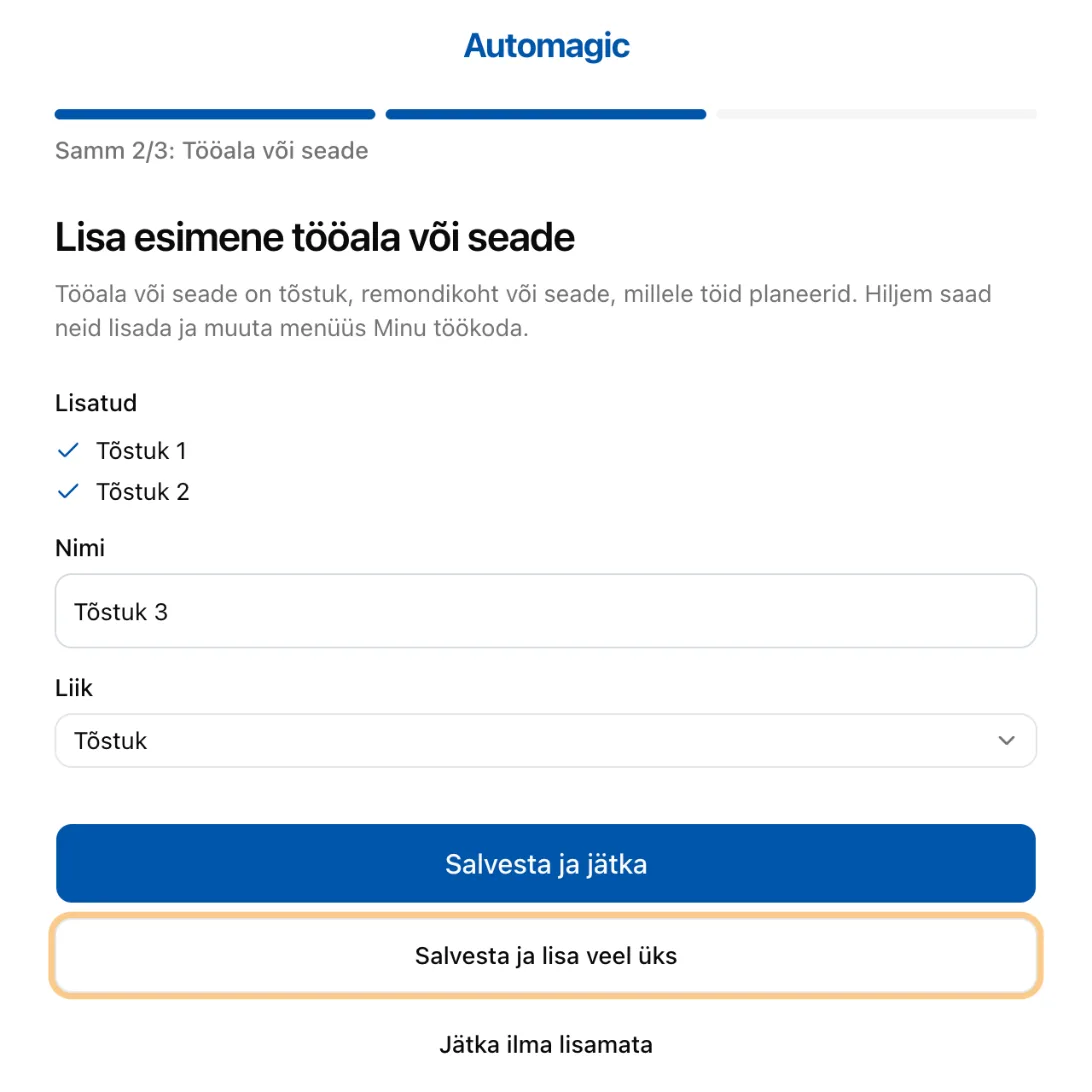
Each resource gets its own row in the calendar. People are not resources.
Step 3: how people reach you
Fill in:
- Address. Street, number and town.
- Phone. The number drivers call.
- Regions you serve. You see published jobs from these regions only.
Click Save and open calendar.
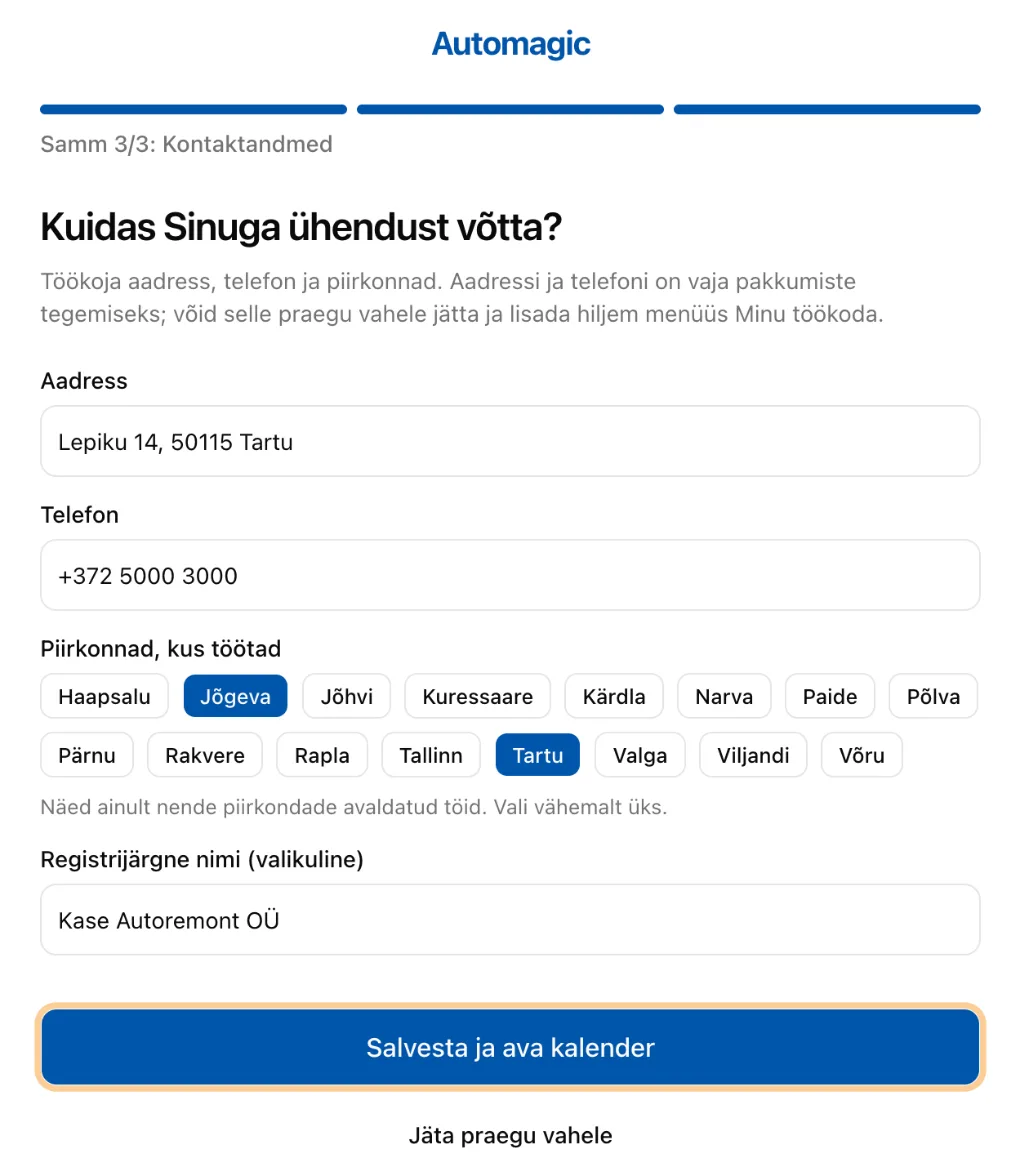
Why address and phone? You need both to make offers. A driver sees your address with your offer. After the driver picks you, they also see your phone.
In a hurry? Click Skip for now. You can add everything later.
Change it later
Open My Workshop in the sidebar.
- Details holds the address, phone, regions and the calendar's working day.
- Resources holds your lifts and equipment.
Next step: Add a resource, such as a new lift